Apple Creator Studio Takes Design Cues from Windows
Apple Creator Studio is here and the launch hasn't been the smoothest.
Now, I hopped right on upgrading Final Cut Pro yesterday. Dylan Bates does a great walkthrough of the new features. I can't wait to use the Beat Detection. I tried it out for just a sec in an edit today and hoooooo baby, it seems slick.
But for the now "Freemium" apps once know just as Pages, Keynote, and Numbers, things have taken a dire turn. Jason Snell points out the many hitches.
"What strikes me most about it is how even Apple is stuck with the App Store and its limitations. Developers are quite familiar with how limited Apple’s back-end systems are and how they can inflict frustration on developers and customers alike. But it’s another level when the same thing happens to Apple and its own apps.
For example, yesterday the old versions of Numbers, Pages, and Keynote were updated, apparently with the only new feature being a dialog box that appears when you launch it that says “Use the New Version of Numbers,” with a button to Open New Version."
I dealt with this very issue today. A client of mine likes to keep and edit YouTube thumbnails in Keynote. I opened the now "old" version of Keynote to be met with a dialog box saying "Go to App Store" to get the latest version. But it's not an update like I thought. It's an entirely separate application. I guess I need delete the old one, because I have two apps named Keynote in my Applications folder. I didn't think I could do that.
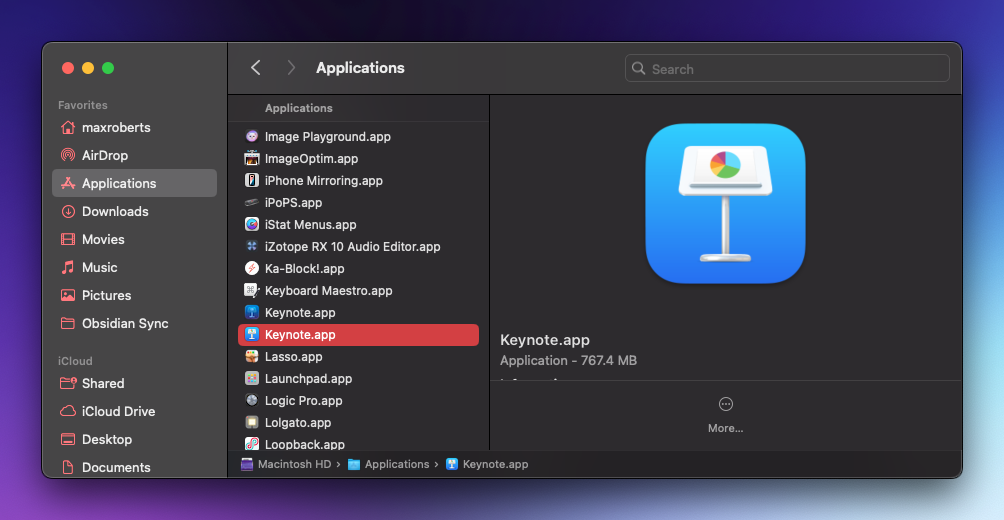
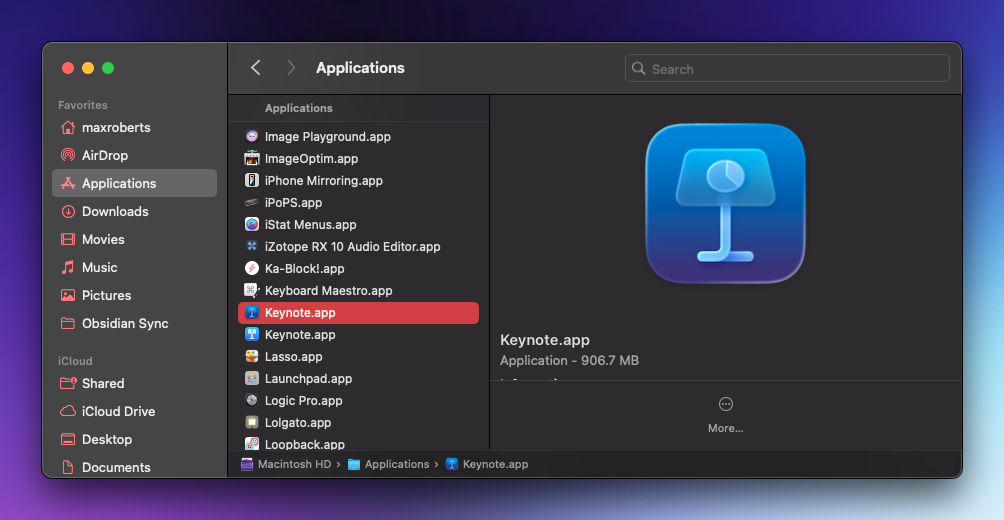
It's embarrassing that I have to juggle this installation like this. I just upgraded yesterday to SoundSource 6 and had a clearer time than with Keynote here.
"I’m also struck by the fact that Apple has had to do the App Store trick of attaching subtitles to the names of every app it makes, because the design of the App Store has led to stuffing keywords into titles becoming somehow a best practice. So it’s not Final Cut Pro anymore, it’s 'Final Cut Pro: Create Video.' And Numbers is 'Numbers: Make Spreadsheets.'"
If only someone could change the backend of the App Store search and upgrade support...
When I opened Keynote and did my thumbnail thing, I noticed a big, ol' bright blue box in the inspector on the right-hand side.
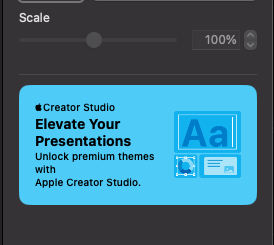
This trumps Fandango and F1 ads for me. Ads in the UI is what Microsoft does.
Out of curiosity (and a hope to remove the ad), I clicked on it.
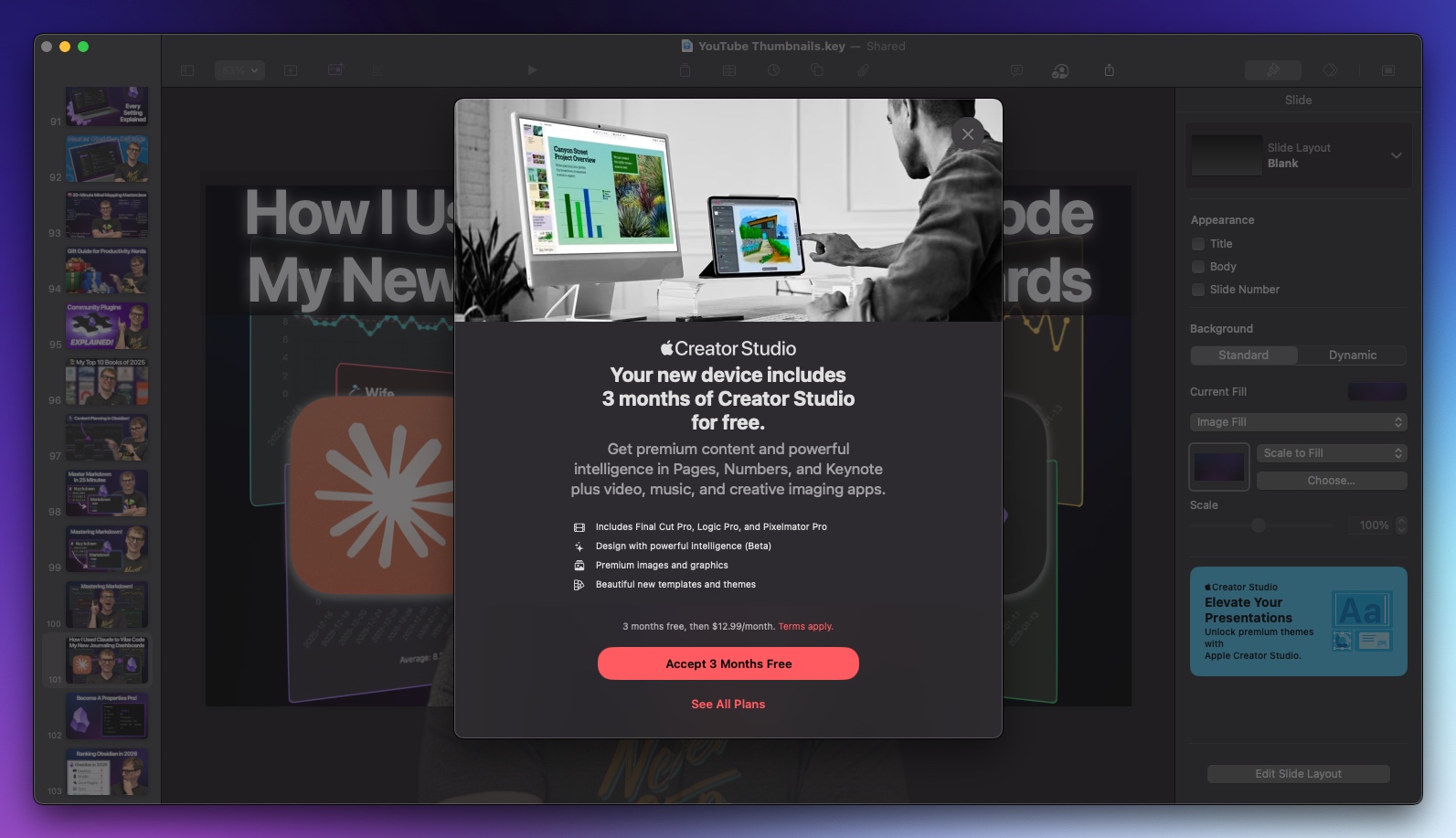
Do you see how to close the ad should you not want to sign up? It's okay. Take your time. No, clicking outside the window does not work. I'll help you.
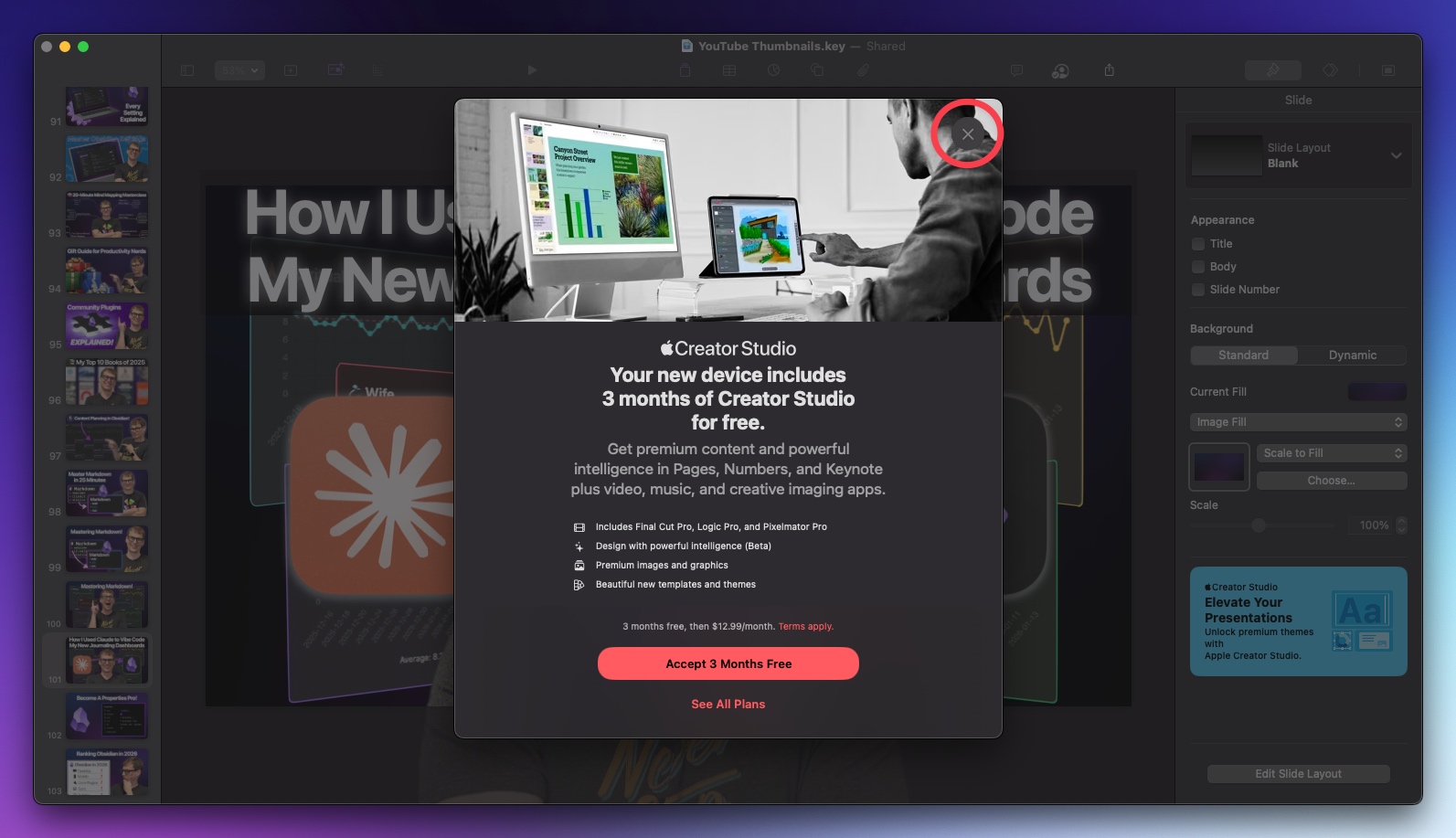
It seems the "close in the upper right-hand corner" from Safari on iOS has crept its way into Keynote. And it is practically the same shade of gray in the black and white photo. I can't tell if it is a total lack of care or intentional obfuscation. Probably a mix of both.
"But if you’ll forgive me, I find it hard to get too worked up about icon designs when Apple is putting ads for a professional creative suite in its free productivity apps. Which is the greater offense to the user experience?"
A greater offense indeed.